Improving how Evertune customers create prompts to analyze their AI visibility
Overview
Evertune customers have more than one way to create the prompts that measure their AI visibility. They can start from a standard template, or use Evertune’s agent to create prompts based on how people actually prompt LLMs.
Context
At first, there was only one way to create prompts: the standard template. As Evertune grew, customer feedback showed that people wanted to run their own sets of prompts, so a new type of analysis was added.
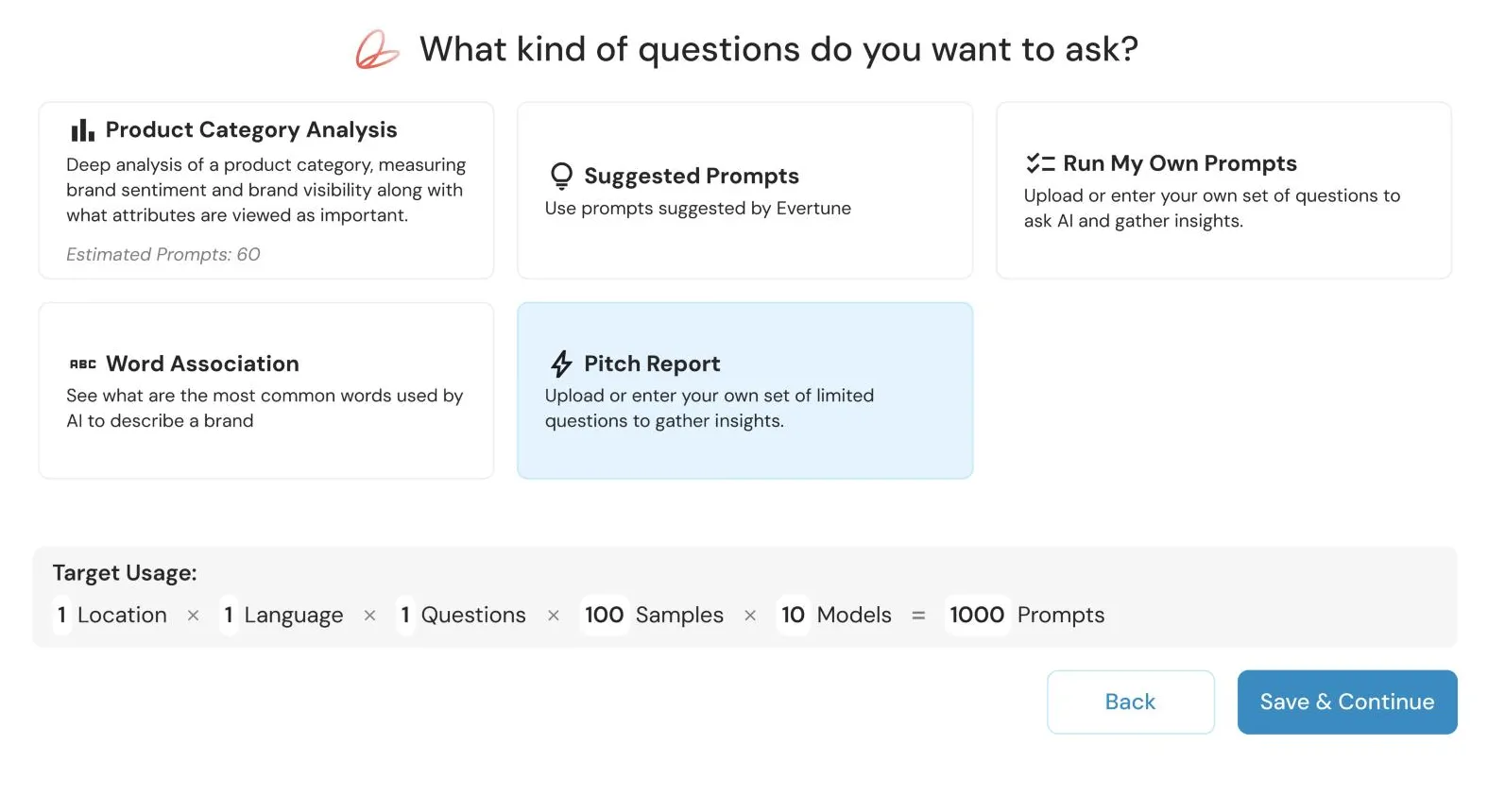
Before long, there were five different ways to create prompts. Each was added to meet a specific customer need, but over time the prompt creation experience became unwieldy and hard to use.
Very soon, new users started saying that the prompt creation flow took too much time and was hard to use.
 12345
12345The problem
Getting to a set of prompts took many steps, and customers, especially new users, struggled to pick the right type of tracker. There were five main types, and one of them had three steps of its own. It was confusing before anyone had created a single prompt.
- Let Evertune generate
- Give instruction
- Enter topics
The insight
After collecting user feedback and analyzing how customers use the platform, it became clear that:
- 1Users primarily preferred Evertune’s suggested prompts.
- 2Pitch Report was only available to agencies, and it was essentially Suggested Prompts with a prompt limit.
- 3Only 10–15% of users had access to Product Category Analysis and Word Association.
The new experience
I wanted the design to align with Evertune’s long-term vision of an agentic platform experience. After learning more about the tools our customers already used, a chat-to-canvas flow felt like a natural fit.
With the new agent experience, there is nothing to choose up front. Users begin prompt creation in a simple chat, use Evertune’s agent to modify the topics and prompts, and adjust the settings before running.
Start by entering instructions in the chat: describe what to track in a simple sentence.
The impact
New customers find it much easier and more intuitive to create trackers and run prompts.
- No onboarding steps needed
- No white-glove service from our customer success team